Browser-based tool · Free core workflow

Free Paint by Number Generator

Turn a photo into a paint-by-number template with simplified color regions, numbered outlines, and a matching palette. Adjust color count, smoothing, and palette before export.

Use Free Paint by Number Generator

Loading this tool…

About Free Paint by Number Generator

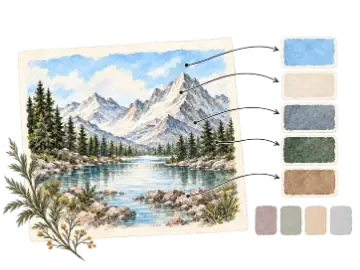
The Paint by Number Generator reduces a reference into a controlled palette, creates numbered color regions, and prepares a matching key while keeping source-image processing in the browser.

What Is a Paint by Number Generator?

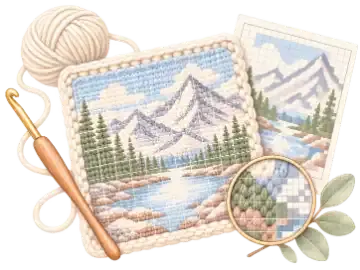
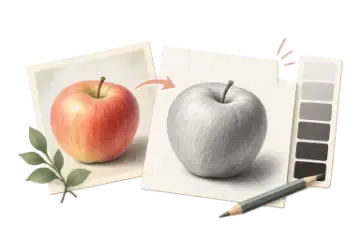
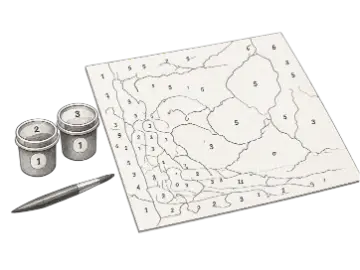
A paint by number generator converts a photograph into a simplified painting plan. It groups similar colors into a limited palette, detects boundaries between those groups, assigns each palette color a number, and places matching labels inside paint regions. The result is a custom template based on your source rather than a pre-drawn kit. Clear subjects and separated color masses usually create more readable regions than busy scenes with fine texture.

Choosing the Right Number of Paint Colors

A small six- or eight-color palette produces large shapes, strong value grouping, and a beginner-friendly painting. Twelve colors add useful transitions for many portraits, pets, and landscapes. Sixteen or twenty-four colors can preserve more nuance but create smaller regions and require more paint matching. Start simpler than you think, inspect whether the subject still reads, and only increase the palette when the added colors clarify important forms.

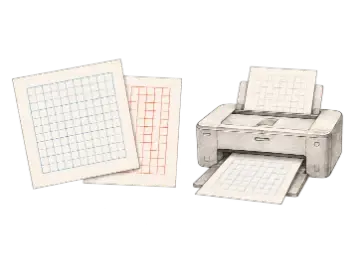
Preparing and Printing a Custom Kit

Prepare a well-lit, tightly framed image before upload and review the numbered outline at the paper size you intend to use. Small labels or isolated specks may be difficult to paint even when they look clear on screen. Art Grid Maker processes quantization and region generation locally, then pairs the outline with a numbered swatch key containing screen color values. You are responsible for choosing paints that approximate those colors and for having permission to reproduce the source image.

Paint-by-number parameter recipes

Palette size and smoothing work together: fewer colors and stronger smoothing create larger regions, while more colors retain transitions at the cost of smaller shapes.

Simple first kit

6–8 colors · Heavy smoothing

Produces broad value groups and fewer small regions for a shorter, more forgiving painting session.

Balanced portrait or pet

12–16 colors · Medium or Light smoothing

Keeps important facial and fur transitions while limiting isolated color specks.

Detailed large-format kit

18–24 colors · Light or no smoothing · inspect labels at print size

Retains more tonal separation, but needs a larger surface and more careful paint matching.

Works best with

  • Tightly cropped subjects with clear lighting
  • References built from broad, separated color masses
  • Images that remain recognizable after palette reduction

Expect extra cleanup with

  • Noisy foliage, hair, or fabric filling the frame
  • Low-contrast images where subject and background merge
  • Tiny subjects surrounded by an unrelated background

Key Features

Adjustable Color Count

Choose palettes from 6 to 24 colors to balance simplicity with tonal detail.

Browser Color Quantization

Group source pixels into a controlled palette without uploading the photograph.

Region Boundaries

Convert neighboring color groups into a printable outline for guided painting.

Numbered Labels

Match each paint region to the corresponding numbered swatch in the palette key.

Color Reference Values

Review swatches with Hex and RGB values when selecting or mixing physical paint.

Pro Three-Page PDF Kit

Export the numbered outline, simplified color reference with palette key, and original source reference as separate pages.

Paint palette complexity

More colors preserve variation but also increase the number of small regions, labels, and physical paint mixes.

OptionBest for
6–8 colorsSimple
12 colorsBalanced
16–24 colorsDetailed

How to use Free Paint by Number Generator

  1. Step 1

    Choose a clear reference

    Images with distinct subjects, controlled lighting, and separated color areas produce easier templates.

  2. Step 2

    Set the palette complexity

    Use fewer colors for broad beginner-friendly regions or more colors for additional tonal separation.

  3. Step 3

    Inspect small regions before export

    Check that labels and boundaries remain printable at the intended paper size.

When this tool is useful

Custom painting kits

Turn personal photographs into a structured painting activity.

Color simplification

Study how a reference reads when reduced to a limited set of dominant colors.

Classroom projects

Prepare consistent numbered references and palette keys for guided painting.

Frequently asked questions

How does a paint by number generator work?
It groups similar photo colors into a limited palette, finds boundaries between color regions, assigns each palette color a number, and places matching labels in the printable outline.
How many paint colors can I choose?
Choose any whole-number palette size from 6 to 24 colors. Fewer colors create larger, easier regions; more colors preserve additional tonal changes but increase painting and mixing complexity.
What photos make the best paint by number templates?
Use a sharp, well-lit subject with clear separation, controlled background texture, and distinct color masses. Very noisy scenes can create many small regions that are hard to label and paint.
Does the palette key provide color values?
Yes. The numbered swatches include screen color references such as Hex and RGB values. Physical paints, printers, and displays differ, so treat those values as matching guidance rather than exact mixing formulas.
Is my source photo uploaded?
No. Color grouping, region generation, and preview happen in your browser. You should still use a photograph that you created or have permission to reproduce.
Can I print a complete paint by number kit?
Yes. Pro export creates a three-page PDF with the numbered outline, simplified color reference plus palette key, and original source reference. Check label size and small regions at the intended print dimensions first.

Keep your studio workflow in one place

Generate paint by number kit. When you need the paid workflow, unlock 3-page printable pdf kit.