

Browser-based tool · Free core workflow

Free Printable Grid Paper

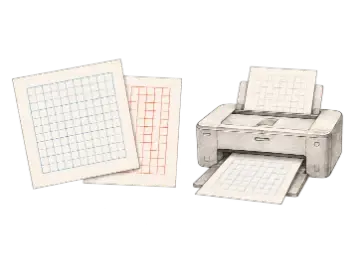
Generate printable grid paper for drawing, planning, and measured layouts. Choose the paper size, orientation, grid type, and spacing, then export a print-ready PDF or image.

Use Free Printable Grid Paper

Loading this tool…

About Free Printable Grid Paper

Create Printable Grid Paper for common US and international sheet sizes. Define rows and columns for visual exercises or choose a target physical cell size, then print at Actual Size and verify the result with a ruler.

What Is Printable Grid Paper?

Printable grid paper is a page of consistently spaced guides generated for a known paper size. Unlike a generic graph-paper image that may be stretched by a printer, a purpose-built grid can account for Letter, A4, Legal, A3, or Tabloid dimensions, portrait or landscape orientation, and usable margins. Artists use it for proportion studies, teachers prepare coordinate exercises, and makers plan measured patterns without drawing every line manually.

Rows and Columns or Exact Cell Size?

Choose a row-and-column count when the number of divisions matters more than their physical measurement, such as a drawing exercise or composition thumbnail. Choose exact cell size for scale plans, quilting, craft templates, or technical sketches. In exact-size mode the printable grid paper calculator determines how many cells fit inside the selected page and margins. The final accuracy still depends on printing the file at 100% rather than using Fit to Page.

Square, Dot, and Isometric Grid Uses

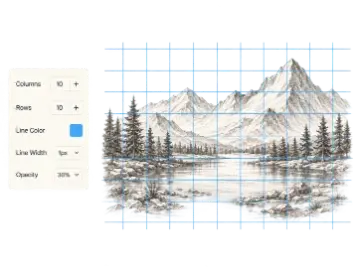
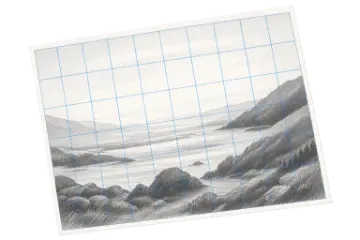
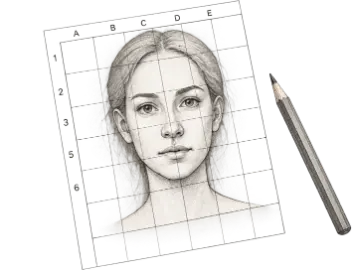
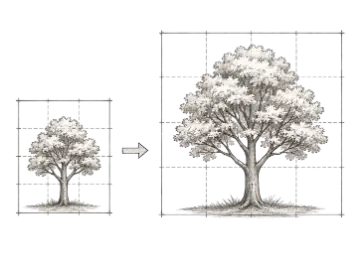
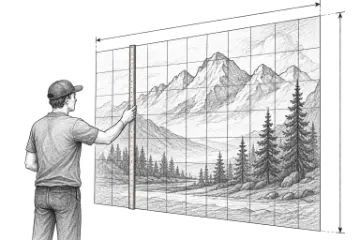
Square graph paper supports coordinates, measured plans, and the drawing grid method. Dot-grid paper provides alignment without enclosing every cell, making it useful for lettering and flexible layouts. Isometric paper uses angled guide families for three-dimensional sketches and diagrams. Select the grid type that matches the task, keep line weight light enough to draw over, and print a single test sheet before producing a classroom or studio batch.

Print calibration before the grid matters

A PDF can contain the correct measurements and still print at the wrong physical scale. Run this check whenever the cell size will be used for measuring or transfer.

Document setup

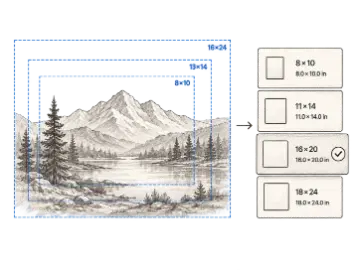
Select the exact loaded paper size and matching orientation

Verify: Confirm Letter vs A4 and portrait vs landscape before export.

Print dialog

100% or Actual Size; disable Fit, Shrink, and Scale to printable area

Verify: The preview should not report a percentage other than 100%.

Test sheet

Print one page before the full batch

Verify: Measure one complete cell in both directions with a ruler and inspect the outer margins.

Batch print

Keep the verified printer, paper, and driver settings

Verify: Spot-check a later sheet if the printer pauses, reloads, or changes trays.

Before a batch print: Printer drivers and non-printable margins vary. If the ruler measurement is wrong, correct the print scaling or paper selection instead of compensating by changing the grid cells in the tool.

Key Features

Five Paper Sizes

Generate Letter, A4, Legal, A3, or Tabloid grid paper without resizing a generic page.

Portrait and Landscape

Match page orientation to the drawing, worksheet, plan, or printer setup.

Exact Cell Measurements

Choose 1/4 inch, 1/2 inch, 1 inch, 5 mm, or 1 cm cells for measured work.

Rows and Columns Mode

Specify the visual division count when cell quantity matters more than physical dimensions.

Multiple Grid Types

Create square paper for free; Pro adds dot and isometric guides for alternative drawing workflows.

Print-Ready Exports

Produce PDF, PNG, or JPG output; use Actual Size and verify one cell when physical measurements matter.

Print setup checklist

Exact-size grids depend on both the document and printer settings.

OptionBest for
Scale100%
MarginsPrinter-safe
OrientationMatch export

How to use Free Printable Grid Paper

  1. Step 1

    Select paper and orientation

    Choose the paper loaded in your printer and decide whether portrait or landscape better fits the task.

  2. Step 2

    Choose count or cell size

    Use rows and columns for visual exercises, or an exact cell measurement when printed scale matters.

  3. Step 3

    Print at actual size

    Export the grid and disable printer scaling when exact physical cell dimensions are required.

When this tool is useful

Art instruction

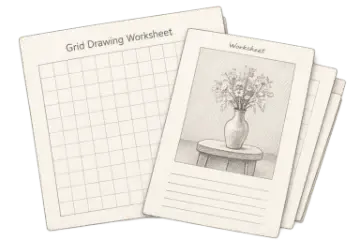
Prepare consistent practice sheets for proportion and coordinate exercises.

Measured sketches

Plan technical drawings, patterns, and craft layouts with known cell dimensions.

Dot and isometric studies

Use alternate grid types for lettering, diagrams, and spatial sketching when available.

Frequently asked questions

What paper sizes does the printable grid paper generator support?
You can generate Letter, A4, Legal, A3, and Tabloid pages in portrait or landscape orientation. Select the same paper and orientation that will be used in the printer.
How does exact cell size mode work?
Choose a physical cell measurement such as 1/2 inch or 1 centimeter. The generator fits the appropriate number of cells inside the selected page and margins. Print at 100% or Actual Size to preserve that measurement.
What is the difference between grid count and cell size?
Grid-count mode prioritizes a chosen number of rows and columns. Exact-size mode prioritizes the physical width of each cell. Use count for drawing exercises and exact size for measured plans or patterns.
Why is my printed grid the wrong size?
Printer scaling is the usual cause. Disable Fit to Page, Shrink, or Scale to Printable Area and choose 100% or Actual Size. Also confirm that the printer paper matches the exported page size.
Can I make dot-grid or isometric printable paper?
Yes. Square grid paper is available in the core workflow, while Pro adds dot-grid and isometric guide types for lettering, diagrams, and spatial sketches.
Can I download the grid as PDF, PNG, or JPG?
Yes. Use PDF when page size and print accuracy matter, or PNG and JPG when the grid will be placed into another digital workflow.

Keep your studio workflow in one place

Pick a paper size and start printing. When you need the paid workflow, unlock dot-grid and isometric paper types.