
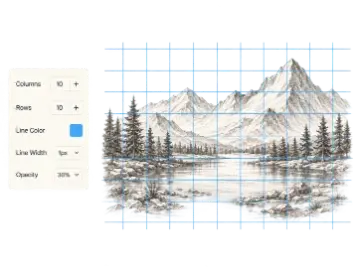
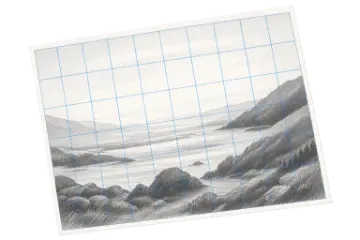
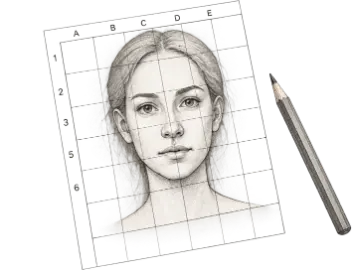




Check a composition
2 values · shift the grouping toward lighter or darker assignments
Makes the largest light and dark masses obvious before you study detail.
Use this value study tool to turn a reference image into clear grayscale or 2-, 3-, or 5-value light and shadow groups before drawing. Download the study or open it in Drawing Grid.
Private image processing Your reference stays in this browser
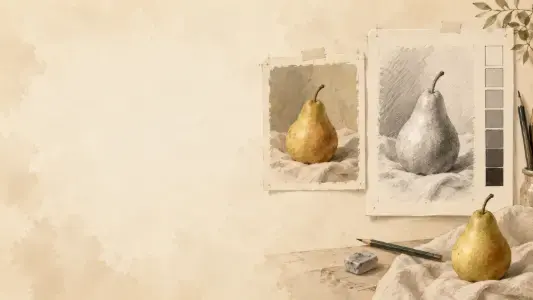
Use this value study tool for artists to simplify a reference image into clear light, middle, and dark groups before you draw. Compare the original with grayscale or a 2-, 3-, or 5-value study, adjust the grouping, and continue to Drawing Grid when you are ready to transfer the major shapes.
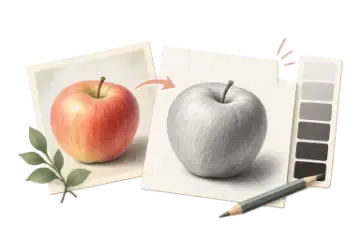
A value study for artists reduces a reference image to a small number of tonal groups. Instead of asking you to copy every color and detail at once, it helps you see the large shapes of light, middle, and shadow that make the subject readable. Three values are a practical starting point for beginners; two values create a bold shape study, while five values preserve more structure for a detailed drawing plan.
Start with the 3-value view and look for the biggest connected light and dark shapes. Shift the grouping toward lighter or darker assignments until important forms remain visible without bringing back every photographic detail. The distribution shows how much of the processed image falls into each value group, while the Low, Mid, or High tonal key summarizes its average lightness. Use both as observation aids rather than scores, then move to Drawing Grid when you need measured placement and cell-by-cell transfer.
The reference image is decoded and processed locally in your browser. Art Grid Maker does not upload the image for value conversion. You can download the current study as a PNG or JPG, or open it in Drawing Grid through the browser-local handoff; if a browser cannot keep the handoff, download the study and upload it there yourself.
Choose the tonal complexity based on the drawing decision you need to make, then check the result at the size you will actually study.
2 values · shift the grouping toward lighter or darker assignments
Makes the largest light and dark masses obvious before you study detail.
3 values · start near the center of the grouping range
Provides a clear light, middle, and shadow structure to follow cell by cell.
5 values · preserve important midtone changes
Adds useful structure while still suppressing much of the distracting photo detail.
See light and shadow before you draw
Compare a continuous grayscale view with bold two-group, beginner-friendly three-group, or more detailed five-group value maps.
Keep the source reference visible beside the simplified study so you can connect tonal groups to the subject.
Adjust the grouping when a key shadow disappears or the study keeps too much distracting detail.
Compare the share of each value group and the image's average Low, Mid, or High tonal key without treating either as a quality score.
Decode and simplify the reference in your browser without uploading the image for conversion.
Download the current value study with the selected mode and grouping adjustment.
Open the prepared study in Drawing Grid to combine value observation with measured transfer.
Use the fewest tonal groups that still explain the subject. More values are not automatically more useful.
| Option | Best for | Notes |
|---|---|---|
| Grayscale | Continuous tones | Inspect gradual tonal transitions before deciding how far to simplify them. |
| 2 values | Bold shapes | Separates light from dark for a quick notan-like composition check. |
| 3 values | Beginner starting point | Shows light, middle, and shadow without bringing back too much detail. |
| 5 values | More structure | Keeps additional tonal separation for portraits, still life, and complex references. |
Drop a JPG, PNG, GIF, or WebP image into the tool. The reference remains in your browser.
Compare the original with the default 3-value study to identify the largest light, middle, and dark shapes.
Export the study as a PNG or JPG, or open it in Drawing Grid for a measured drawing workflow.
Reduce a complicated photo to a few readable shapes before attempting contours and details.
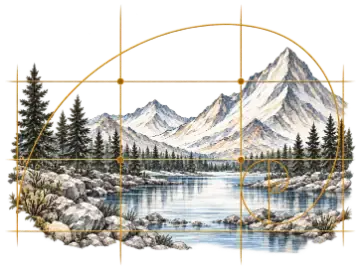
Check whether the major light and shadow arrangement works before committing to color.
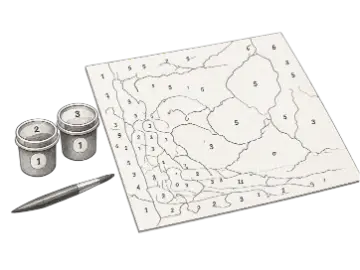
Use simplified tonal groups to decide which shapes matter while transferring a reference cell by cell.
Community feedback approved for public display.
No ratings recorded yet
A value study tool simplifies a reference into a small number of light, middle, and dark groups. Artists use it to understand large shapes and contrast before committing to detailed drawing or painting.
Three values are a useful starting point for beginners because they separate light, middle, and shadow without overwhelming the image. Use two values for a bold shape study and five values when you need more tonal structure.
No. Grayscale preserves many continuous tones, while a value study groups the reference into a small number of discrete tonal regions so the largest shapes are easier to see.
No. The image is decoded and processed locally in your browser. It is not uploaded to Art Grid Maker for value conversion.
Yes. Download the current study or open it directly in Drawing Grid, then use the simplified light and shadow shapes as a guide while transferring the reference cell by cell.
Yes. Download the selected grayscale, 2-, 3-, or 5-value study as a PNG or JPG. The output reflects the current value grouping and light/shadow adjustment.
Value distribution estimates how much of the processed image falls into each lightness group. Tonal key summarizes the average as Low, Mid, or High. These are observation aids, not a score for whether the image is good or correctly exposed.