




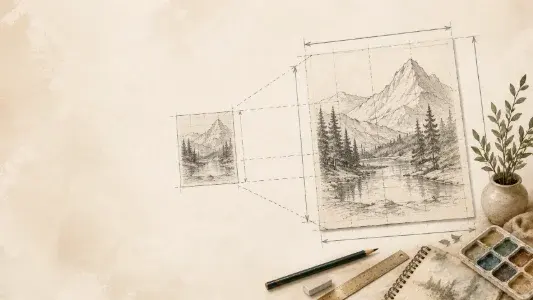
Canvas enlargement
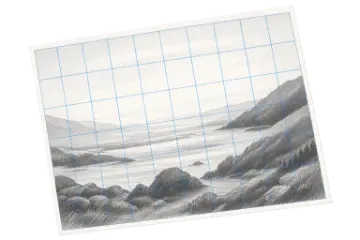
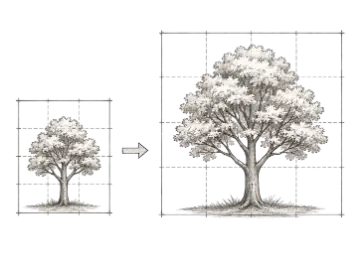
Convert a small sketch into a larger painting while retaining proportional landmarks.
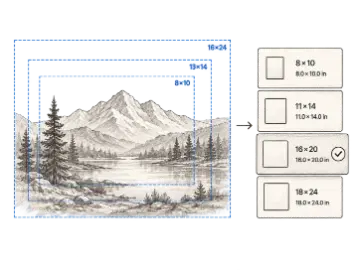
Use this proportion calculator to scale a drawing from a reference to a canvas, paper, or wall without distortion. Compare scale factors and matching grid-cell measurements.
The Proportion Calculator for Artists compares a reference with a target surface, calculates independent width and height scale factors, and converts the result into practical grid-cell measurements.
A proportion calculator for artists answers a practical studio question: how should a reference be enlarged or reduced to fit a new canvas, paper, panel, or wall? It compares the full width and height of both surfaces, reports the scale applied on each axis, and shows whether the target preserves the source shape. This is especially useful before drawing a transfer grid because equal cell counts do not prevent distortion when the two outer rectangles have different proportions.
A 2× width factor means the target is twice as wide as the reference; a 2× height factor means it is twice as tall. When both factors agree, the enlargement is proportional. When they differ, the target would stretch the composition unless you crop the reference, add borders, or change one target dimension. Art Grid Maker reports both values rather than hiding the mismatch behind a single average, so you can correct the plan before marking the surface.
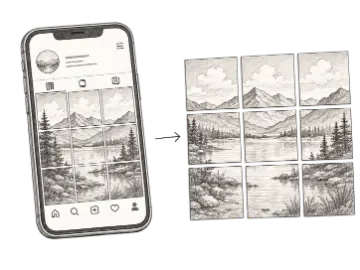
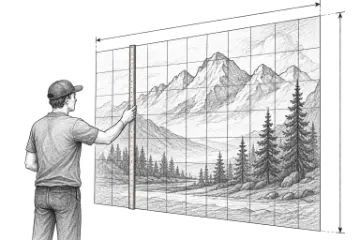
After confirming the overall proportions, choose how many squares to draw across the reference and target. The calculator divides each side by that count and returns the physical cell dimensions in inches, centimeters, or millimeters. Mark those measurements carefully with a ruler, keep every line square to the edge, and transfer landmarks between corresponding cells. Quick-scale buttons are useful for testing common enlargements, while custom dimensions handle real-world surfaces.
Use the whole-surface scale first, then apply the same factor to every target grid cell.
20 ÷ 8 = 2.5× · 10 × 2.5 = 25 · 1 in cells × 2.5 = 2.5 in cells
Use a 20 × 25 in target with 2.5 in square cells.
Both target axes use the same 2.5× scale, so the drawing remains proportional. Mark each target line from a common edge and verify the last cell before transferring contours.
See width and height enlargement independently instead of relying on a potentially misleading average.
Identify whether the target preserves the reference shape before starting a grid transfer.
Work in inches, centimeters, or millimeters while keeping measurements understandable.
Calculate the exact reference and target cell sizes for a chosen number of squares.
Test common reductions and enlargements such as 0.5×, 1.5×, 2×, 3×, 4×, and 5×.
Translate the result into a practical next step for adjusting the surface or marking the grid.
Compare both axes before using the scale factor; a single number is reliable only when width and height agree.
| Option | Best for | Notes |
|---|---|---|
| 0.5× | Half size | Every target measurement is half the matching reference measurement. |
| 1× | Same size | Reference and target dimensions match without enlargement or reduction. |
| 2× | Double size | Each target dimension and grid cell is twice the source measurement. |
| Unequal axes | Mismatch | Crop, pad, or change a target dimension before transferring the drawing. |
Measure the complete reference area you plan to copy, using one consistent unit.
Add the available canvas, paper, or wall dimensions and review whether both axes scale equally.
Choose a grid count and mark the calculated target-cell size before transferring the drawing.
Convert a small sketch into a larger painting while retaining proportional landmarks.
Compare reference and target sizes expressed in inches, centimeters, or millimeters.
Spot mismatched width and height scaling before a transferred image becomes distorted.
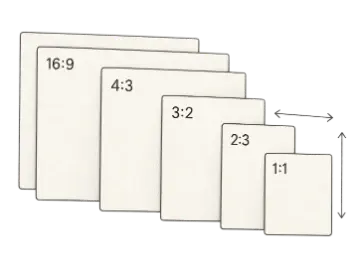
Calculate and simplify any aspect ratio, then resize width or height without stretching. Compare common formats for images, video, artwork, print, and canvas planning.
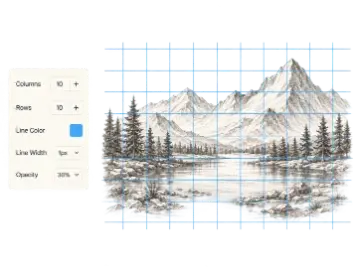
Create an adjustable drawing grid over any reference image for the grid method. Match the rows and columns on your paper or canvas, then transfer proportions one cell at a time.
Use the free mural scaling calculator to find enlargement ratios and proportional grid-cell measurements. Pro adds chalk-line coordinates, paint estimates, and a printable field plan.
Compute your first scale. When you need the paid workflow, unlock the printable a4 scale plan.